How Can I Spend My Crypto Using KAST Card in Armenia
A real in-store payment in Yerevan using a KAST virtual card. See exactly how tap to pay works in Armenia, including the receipt, fees, instant notifications, and rewards, no crypto steps, no surprises.
Key Takeaways
- Cafés and stores treat KAST like any other card. You tap, get an approved receipt in AMD, and move on.
- Right after you pay, the app shows the exact USD amount, the fee, and the total. Nothing is hidden or added later.
- With KAST, the tap, receipt, fee, notifications, and rewards all show up together, so you see the full story of every payment without digging.
You Have Digital Money, But Armenia Runs on Cards
You can hold USDT, USDC, or other digital currency, and still feel stuck in Armenia.
Most cafés and stores expect a normal card tap. Meanwhile, your money sits in an app or wallet that does not work at the counter.
So you either cash out, transfer around, or avoid using it day to day. That gap is what pushed me to try KAST as a practical way to pay in Yerevan.
Using a KAST Card in Armenia
You are in Armenia. You walk into a café. You pay. You get a receipt. You leave.
That is exactly how it feels to use a KAST card. The payment itself is normal. The difference starts after you tap.
You get instant notifications.
You see the exact fee.
You get rewards automatically.
This article shows a real in store payment in Yerevan, with real numbers, so you know what to expect before you try it yourself.
First Real Payment in Yerevan
I got my KAST card a few days earlier while looking for a better way to pay.
One evening, I was walking through Yerevan with my mom. We decided to stop at one of my favorite coffee spots for ginger tea. My friends were already there.
I told them I found a solution for payments. They looked at me and said, “Woah. Really?”
“Let’s try it,” they said.
So I did.
I took out my phone, tapped to pay, and that was it. No delay. No questions. No awkward moment at the counter. The receipt printed, and we sat down.
Two minutes later, my phone lit up.
Getting Started: You Only Need a Virtual Card
You do not need a physical card to start using KAST in Armenia. Once you open the app, you can activate a virtual card and start paying right away, so you do not wait for delivery or deal with extra setup.
The virtual card works for both online payments and in store tap to pay. If you want a physical card later, you can order it, but you do not need it for everyday use.
Paying With Your Phone
After activation, you add the virtual card to your phone wallet.
At checkout, nothing feels new.
You tap your phone.
You confirm.
The payment goes through.
The merchant processes it like any other card payment.
The Real Payment
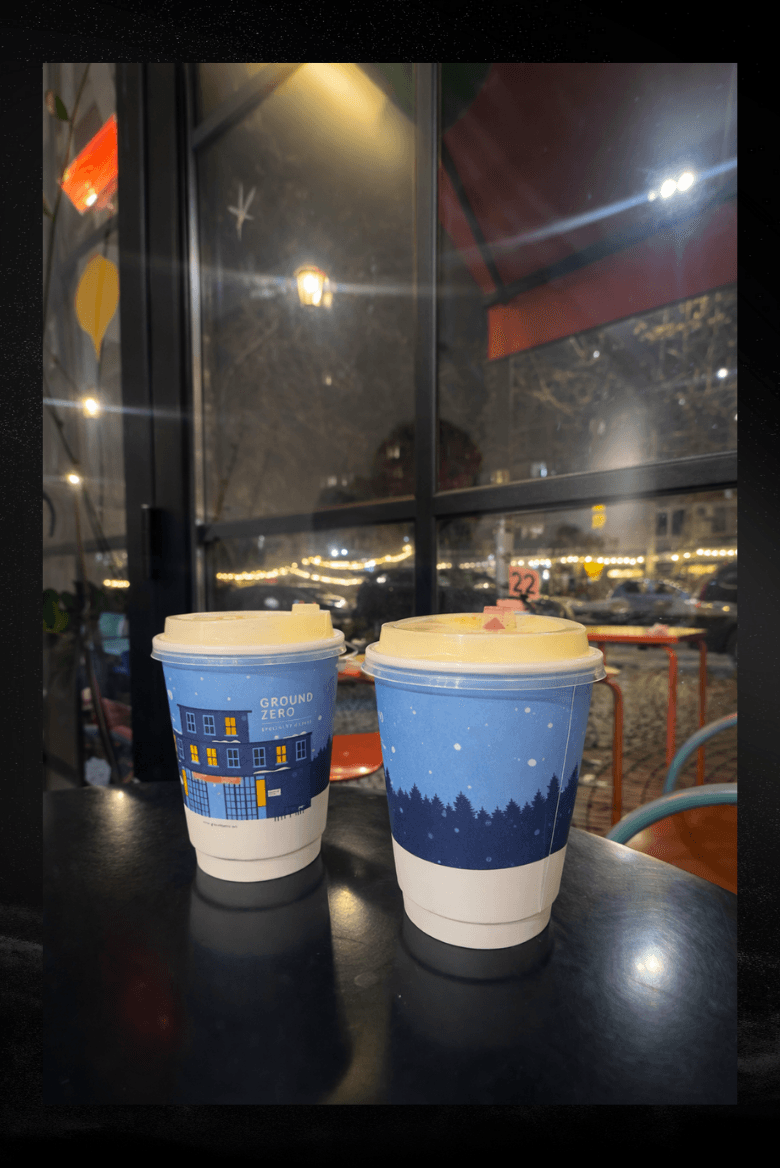
The payment happened at Ground Zero in Yerevan.
Here is exactly what happened:
- Opened the phone wallet
- Tapped to pay
- Got the receipt
That was it. No crypto talk. No extra confirmation.
What the Receipt Shows
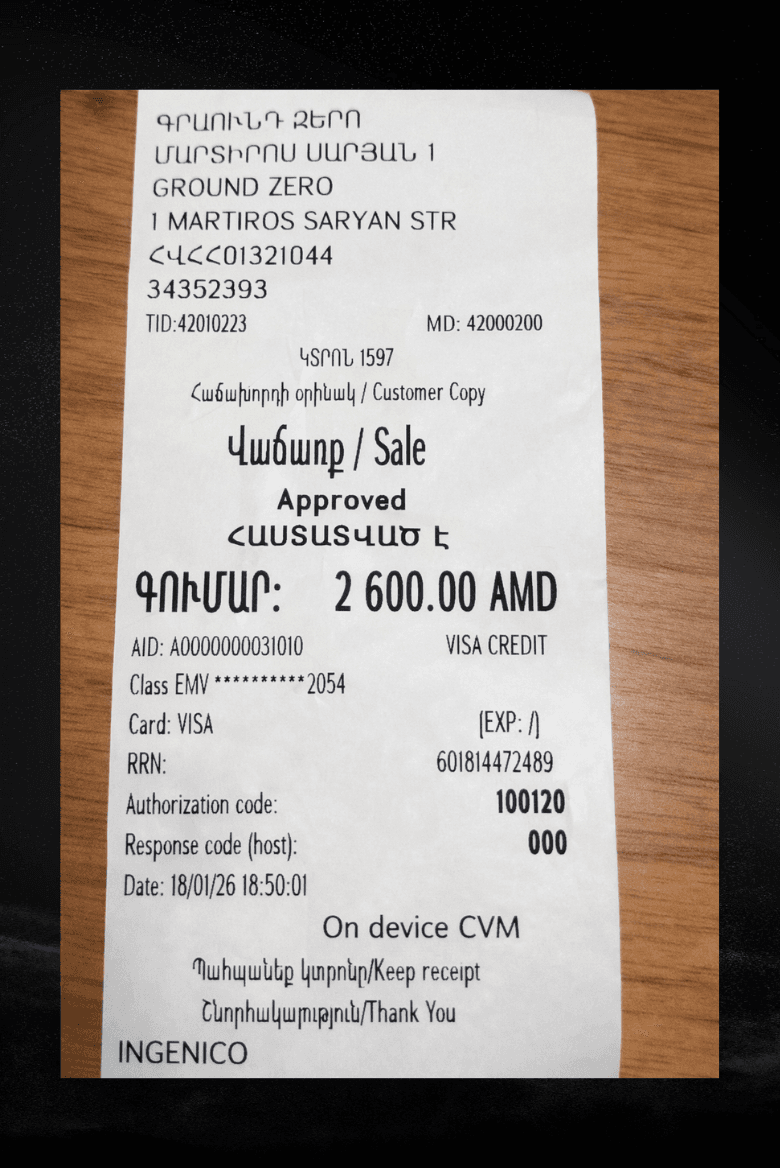
At the café, the printed receipt showed:
- Merchant: GROUND ZERO
- Amount: 2,600.00 AMD
- Status: Approved
- Date and time: 18 Jan 2026, 18:50
Nothing unusual. It looked like any normal receipt.
What the App Shows After You Pay
Right after the payment, the app showed everything clearly.
Payment Breakdown
The fee appeared immediately. Nothing was added later.
Notifications You Get
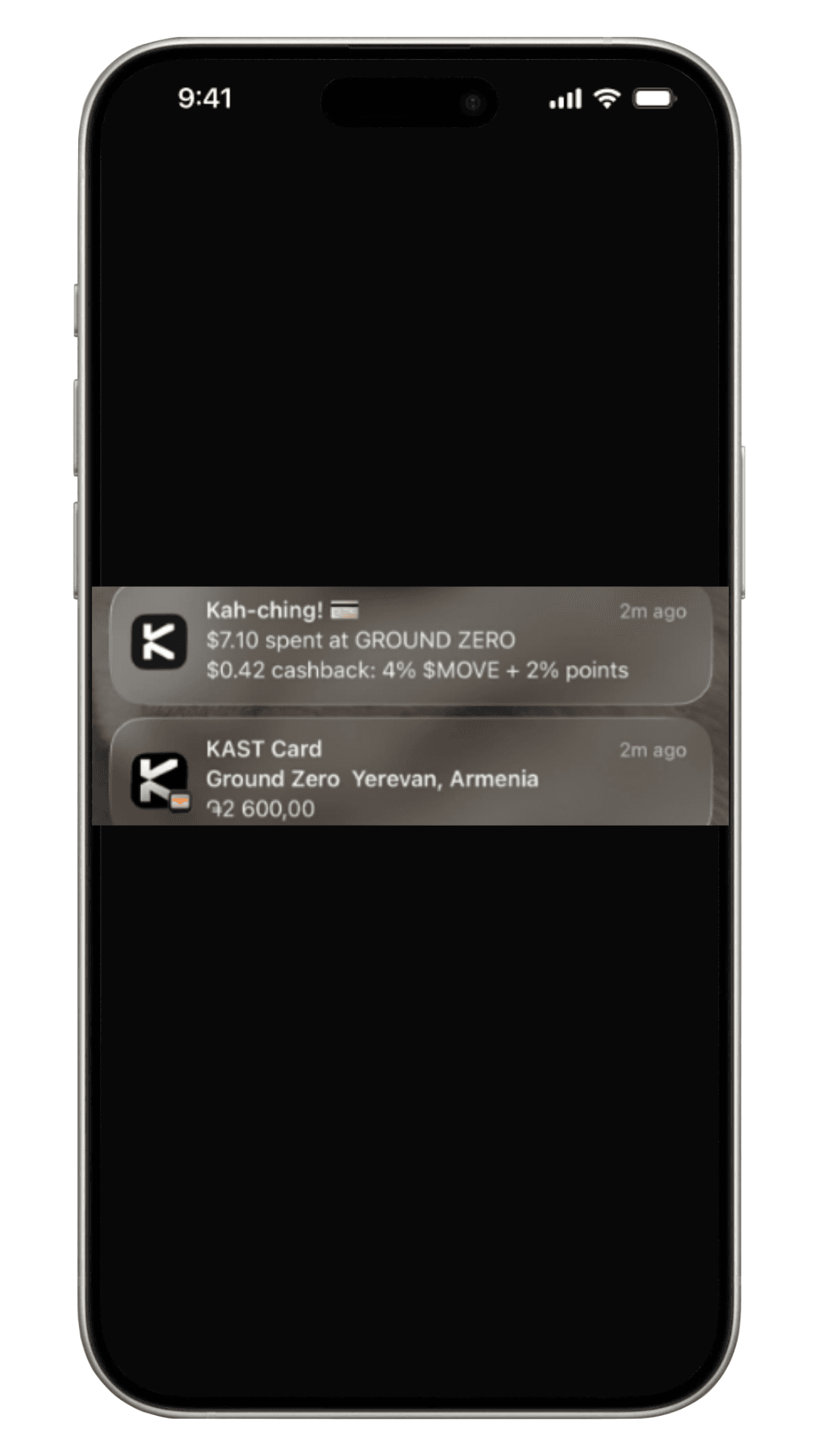
Within minutes, two notifications arrived.
Notification one
- $7.10 spent at GROUND ZERO
- $0.42 cashback: 4% MOVE + 2% points
Notification two
- Ground Zero
- Yerevan, Armenia
- ֏2,600.00
You do not need to open the app to check what happened. Everything shows up right away.
Rewards Breakdown
Rewards were credited automatically after the payment settled.
You do not claim anything. The rewards just appear.
What the Transaction Screen Shows
When you open the transaction, everything is on one screen:
- Merchant name and location
- Local amount in AMD
- Total charged in USD
- Exact fee
- Reward breakdown
- Time and status
You see the full story of the payment without digging through menus.
What This Shows in Practice
You do not change how you pay. You tap, pay, and leave.
What changes is what you see after. Clear fees. Instant feedback. Rewards from everyday spending.
If you are thinking about trying KAST in Armenia, this is what your first payment can look like in real life.
Disclaimer: This content is provided by KAST Academy for educational purposes only and is not intended as financial advice or a recommendation to engage in any transaction. All information is provided "as-is" and does not account for your individual financial circumstances. Digital assets involve significant risk; the value of your investments may fluctuate, and you may lose your principal. Some products mentioned may be restricted in your jurisdiction. By continuing to read, you agree that KAST group, KAST Academy, its directors, officers and employees are not liable for any investment decisions or losses resulting from the use of this information.
Related articles

How Can I Spend Crypto Using My KAST Card in Mexico?
KAST makes it easy to spend, send, and receive dollars in Mexico using cards, SPEI transfers, and digital wallets. Learn how currency selection at the terminal affects your costs and how to avoid hidden conversion fees.

How Can I Spend Crypto Using PIX In Brazil with KAST?
Spend crypto in Brazil with KAST. Convert crypto to USD instantly, then pay anywhere using PIX Scan, KAST Card, or Apple Pay. Get transparent rates, low fees, and instant BRL payments at any merchant.
How Can I Spend My Crypto Using KAST Card in Armenia
A real in-store payment in Yerevan using a KAST virtual card. See exactly how tap to pay works in Armenia, including the receipt, fees, instant notifications, and rewards, no crypto steps, no surprises.